For school directors In use
What a school director checks in the morning, on one screen.
Attendance, enrolment, timetables, signatures and staff in the same record. Leadership reads it on the panel; the teacher writes it in the day’s class book.
Comprehensive School Management
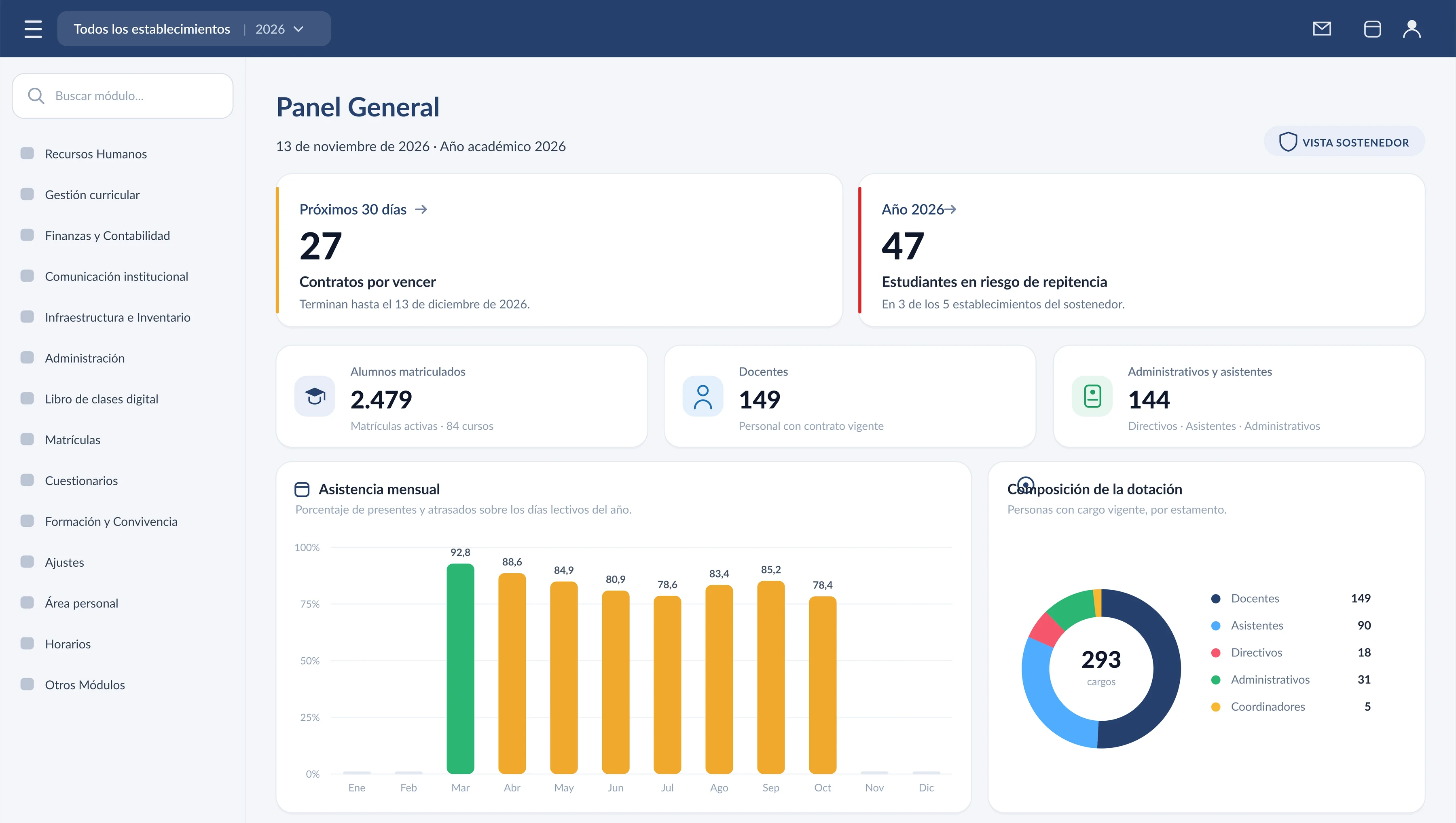
An operator’s panel on entry: enrolment for the organisation, headcount, contracts about to expire and the year’s attendance. Demonstration data.
On screen
The screens of the system, explained one by one.
Screenshots of the platform with demo data: people, schools, and national IDs are fictitious. Each screen can be opened to see what is behind it.
The general panel
The operator summary on entry: contracts about to expire, students at risk, enrolment and headcount, attendance month by month, and staff composition by category.
See the screen in detail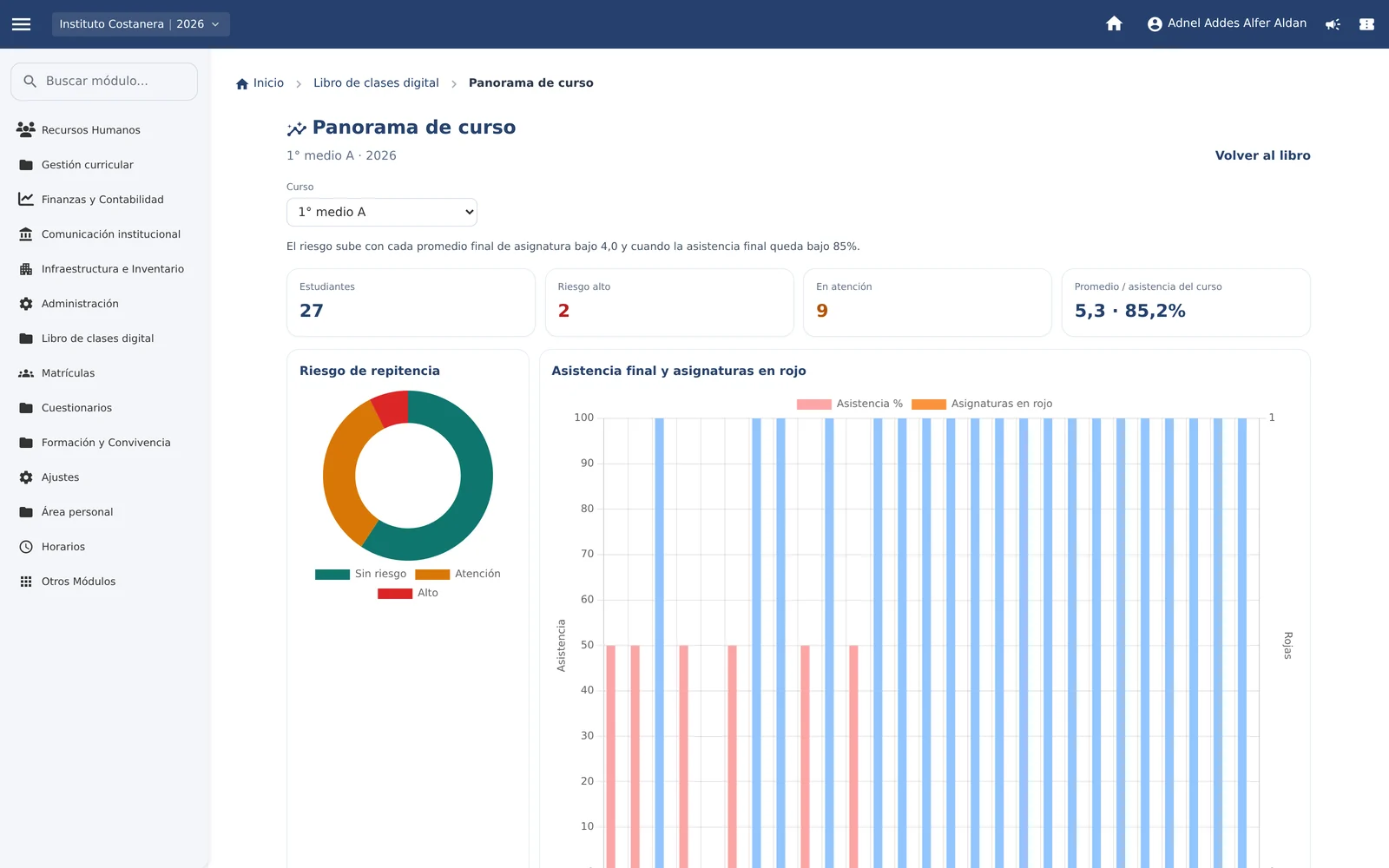
Class overview
Repetition risk, final attendance, and subjects in red, student by student, before the term closes.
See the screen in detail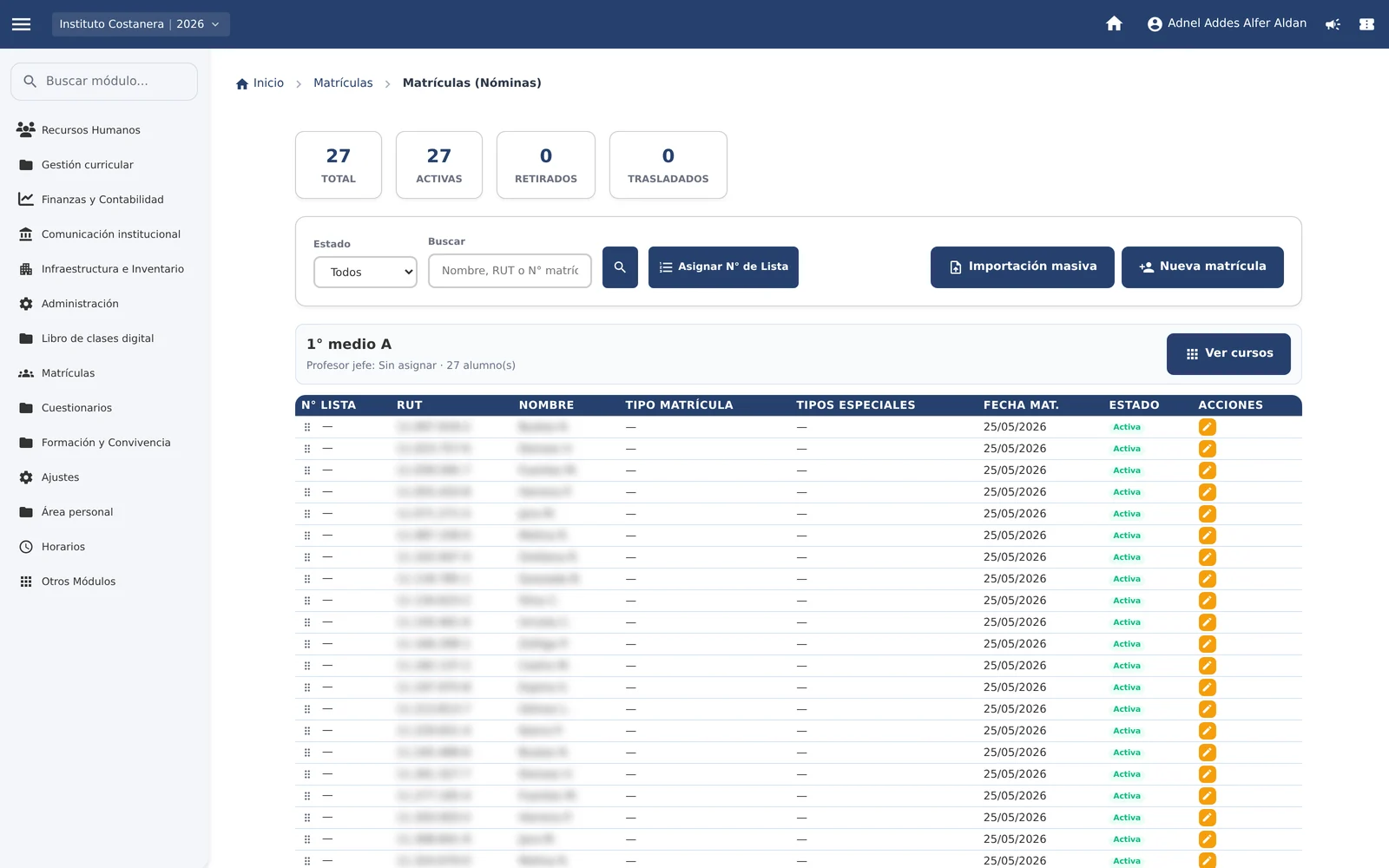
Class roll and enrolment record
The class roll with national ID, list number, and status, and the enrolment record completed with the guardian.
See the screen in detail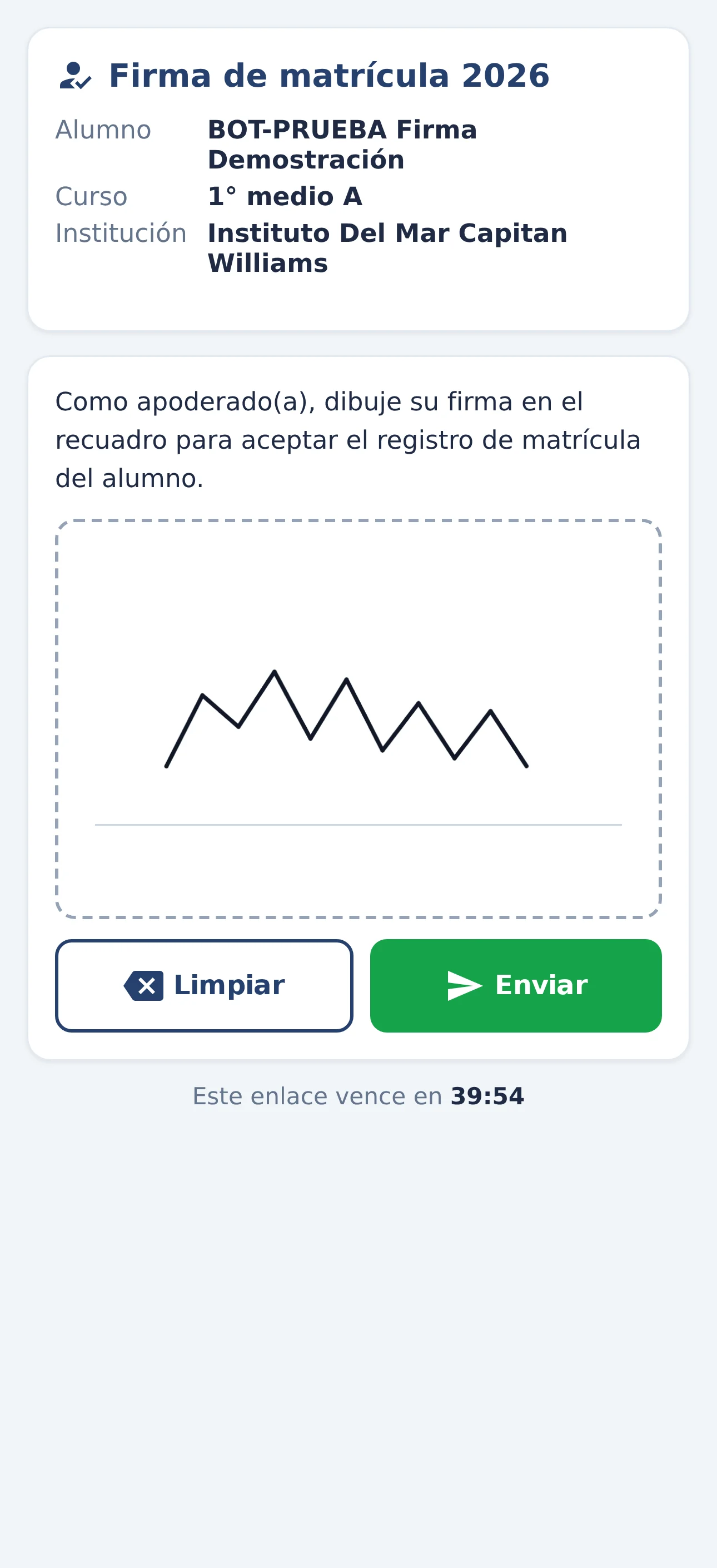
Enrolment signature from the phone
The screen the guardian sees after scanning the QR code: their child’s data and the box to sign with a finger.
See the screen in detail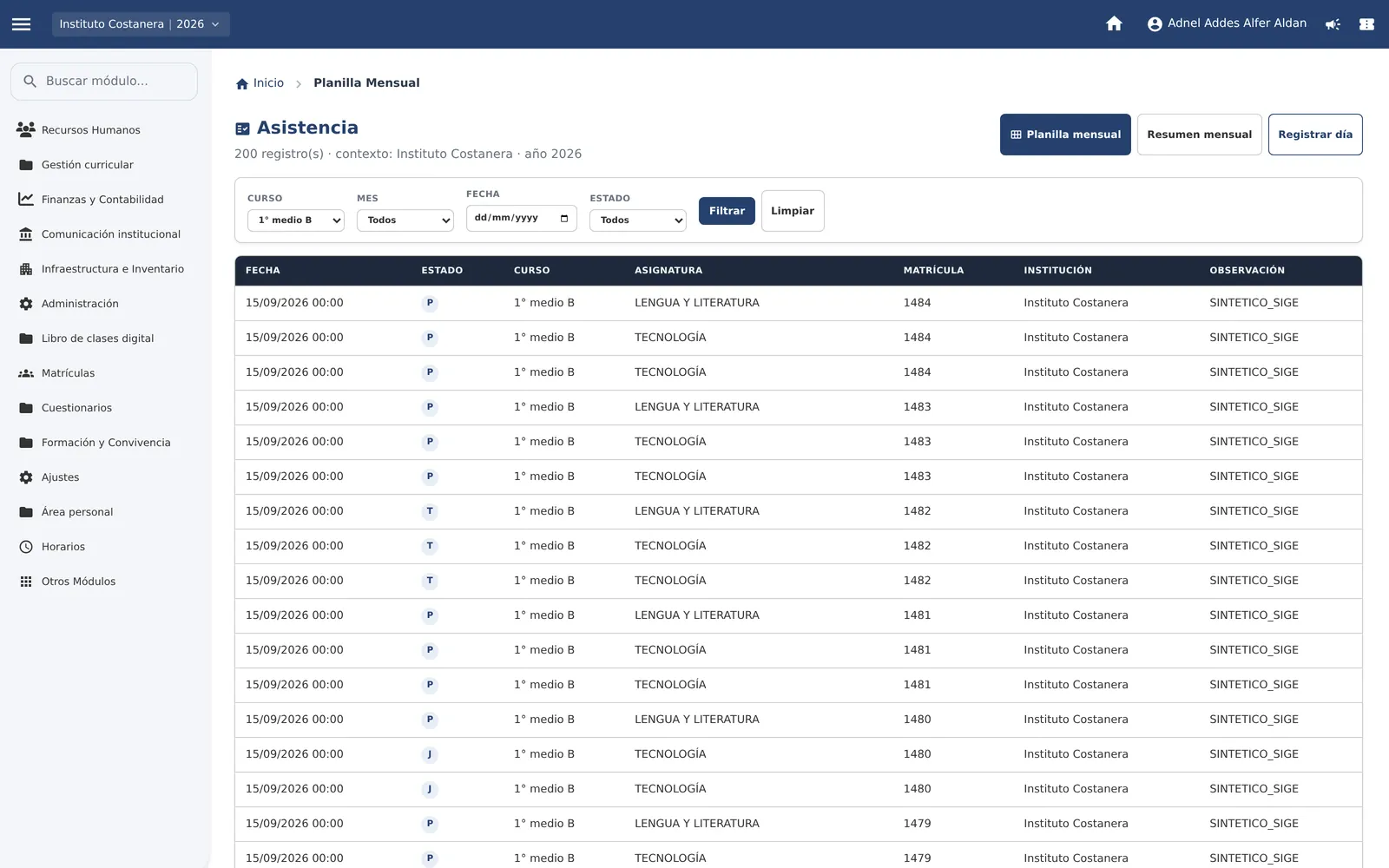
Attendance sheet
The view teachers use most: a monthly grid by day, with totals per student.
See the screen in detail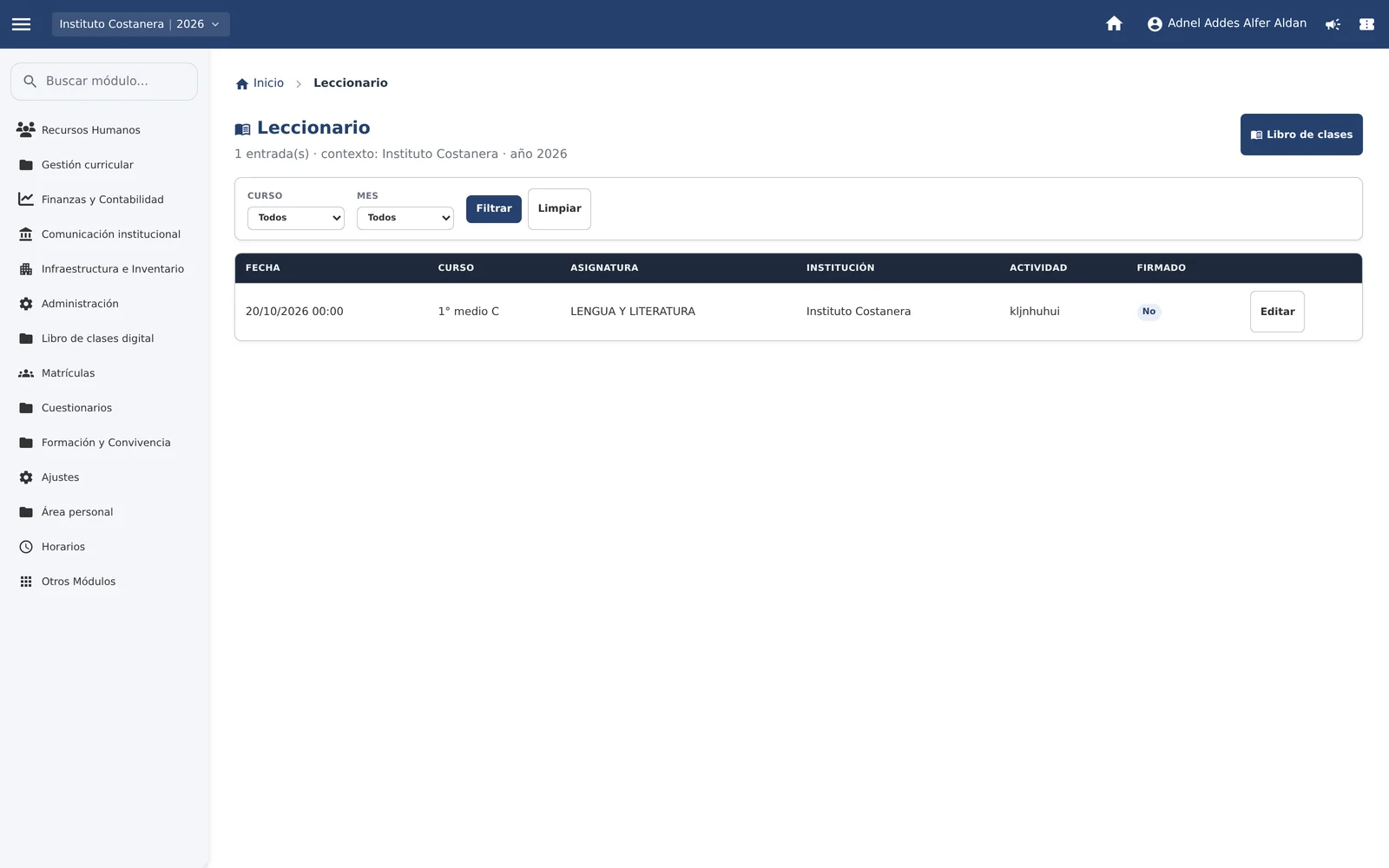
Lesson log
The record of every class: date, class, subject, activity carried out, learning objective, and teacher signature.
See the screen in detail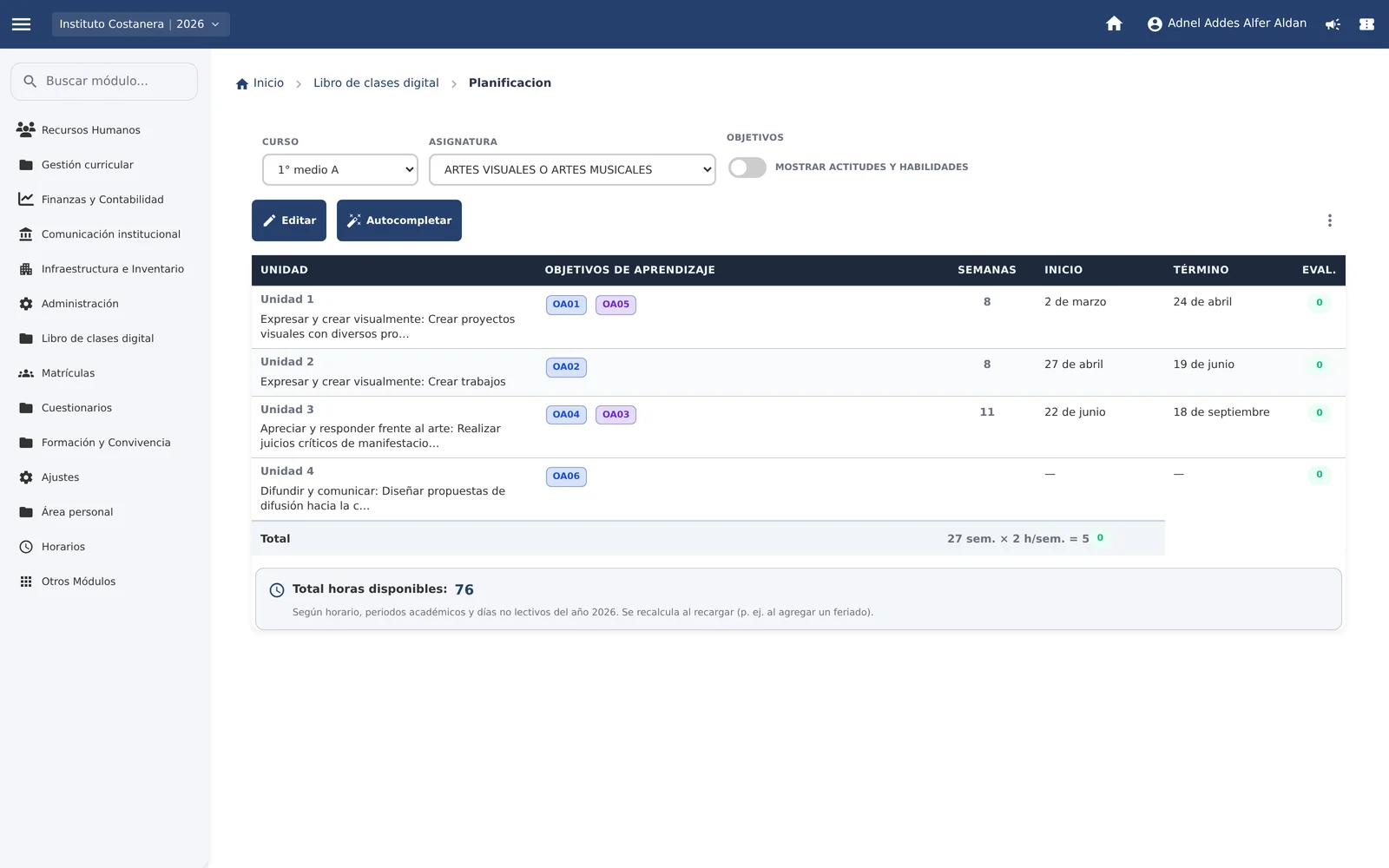
Planning by unit
The year’s units with their learning objectives, the weeks each one takes, and the hours available in the school calendar.
See the screen in detail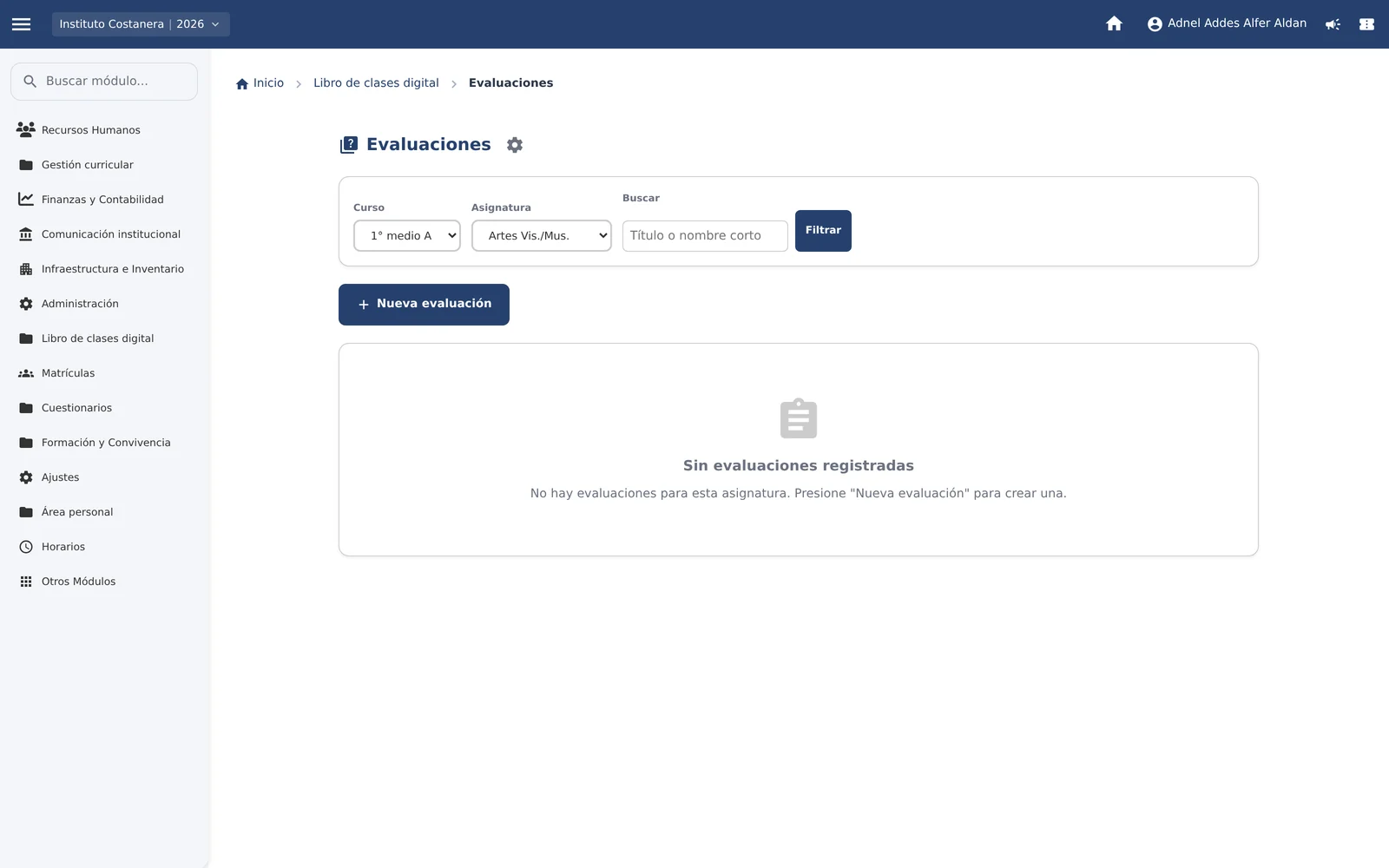
Assessments with learning objectives
The class assessments, each linked to the learning objectives of its unit.
See the screen in detail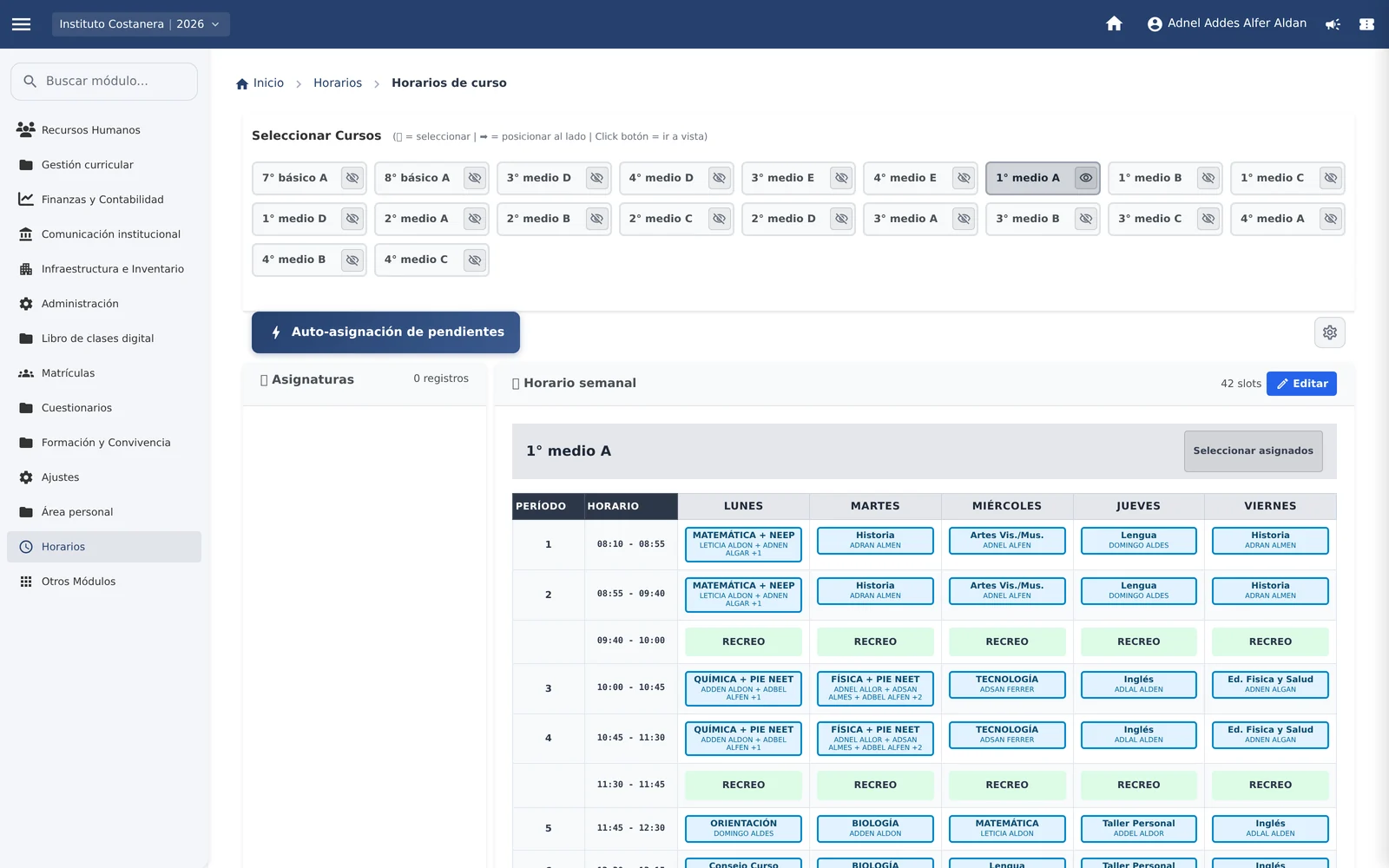
Class timetable
The weekly timetable of the class, block by block, with the subject and the assigned teacher in each one.
See the screen in detail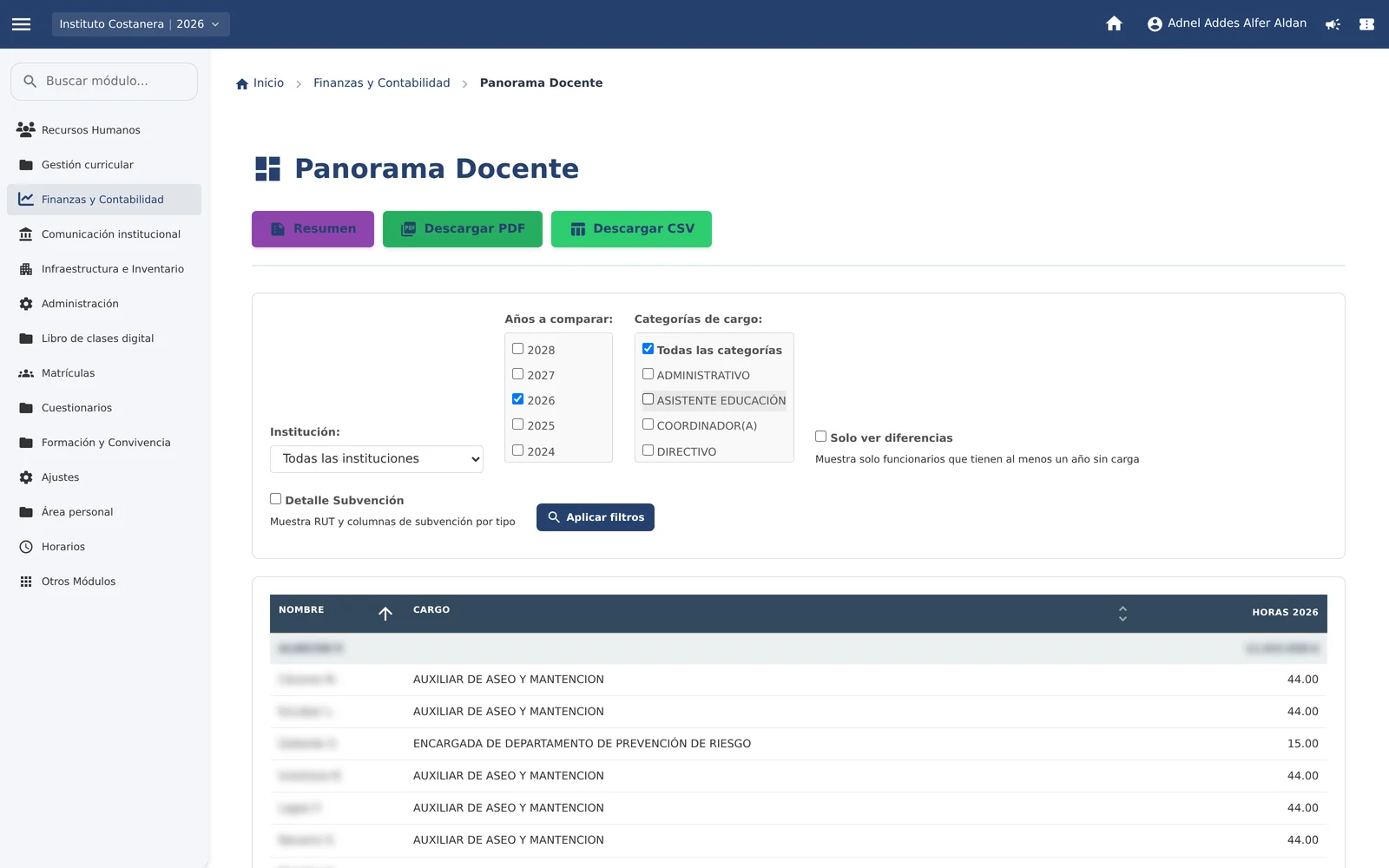
Teacher overview
The hours assigned to each person, grouped by category, with the year-on-year comparison and the subsidy detail.
See the screen in detail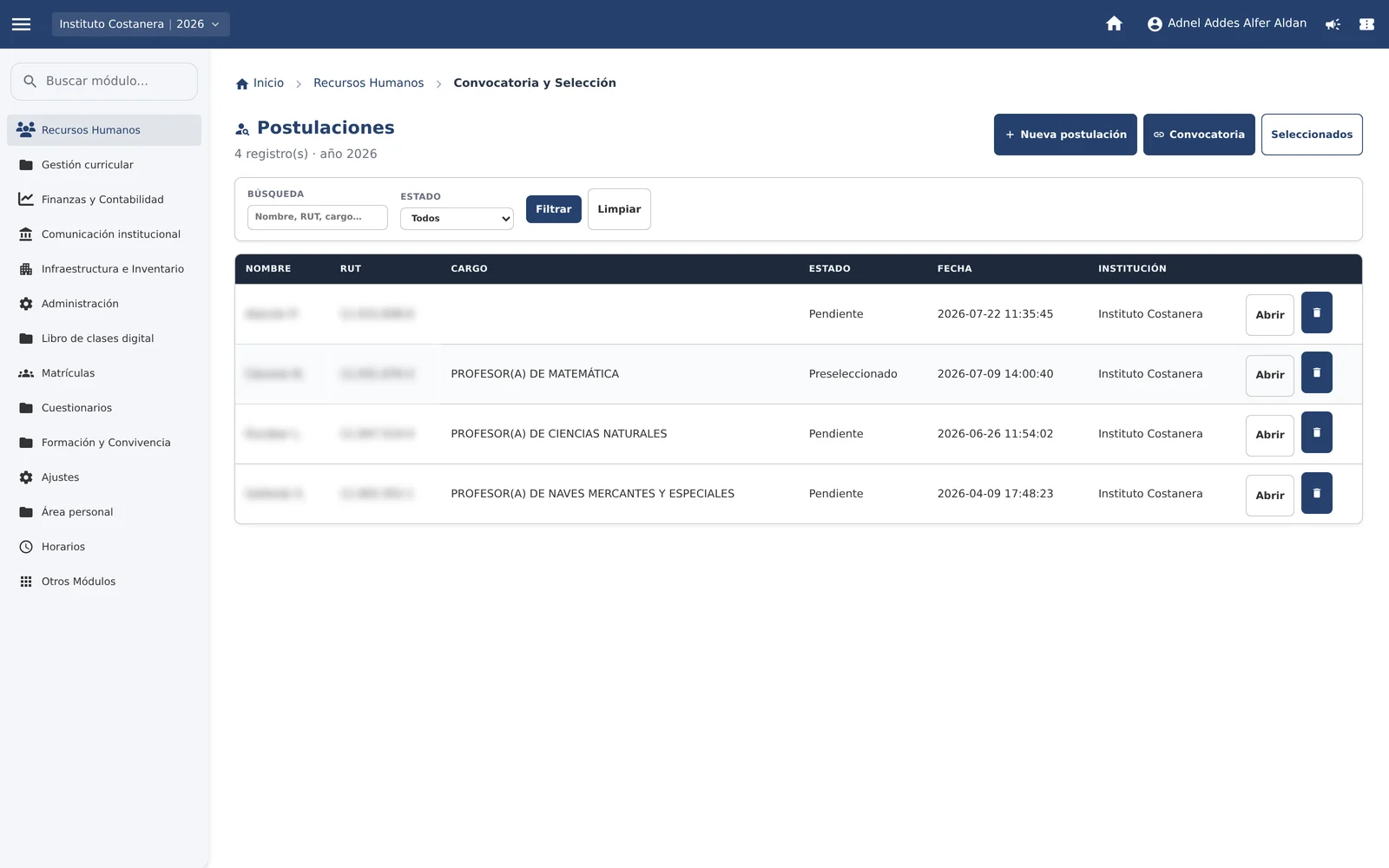
Recruitment and selection
Applications for school positions, with each candidate’s status and the next step.
See the screen in detail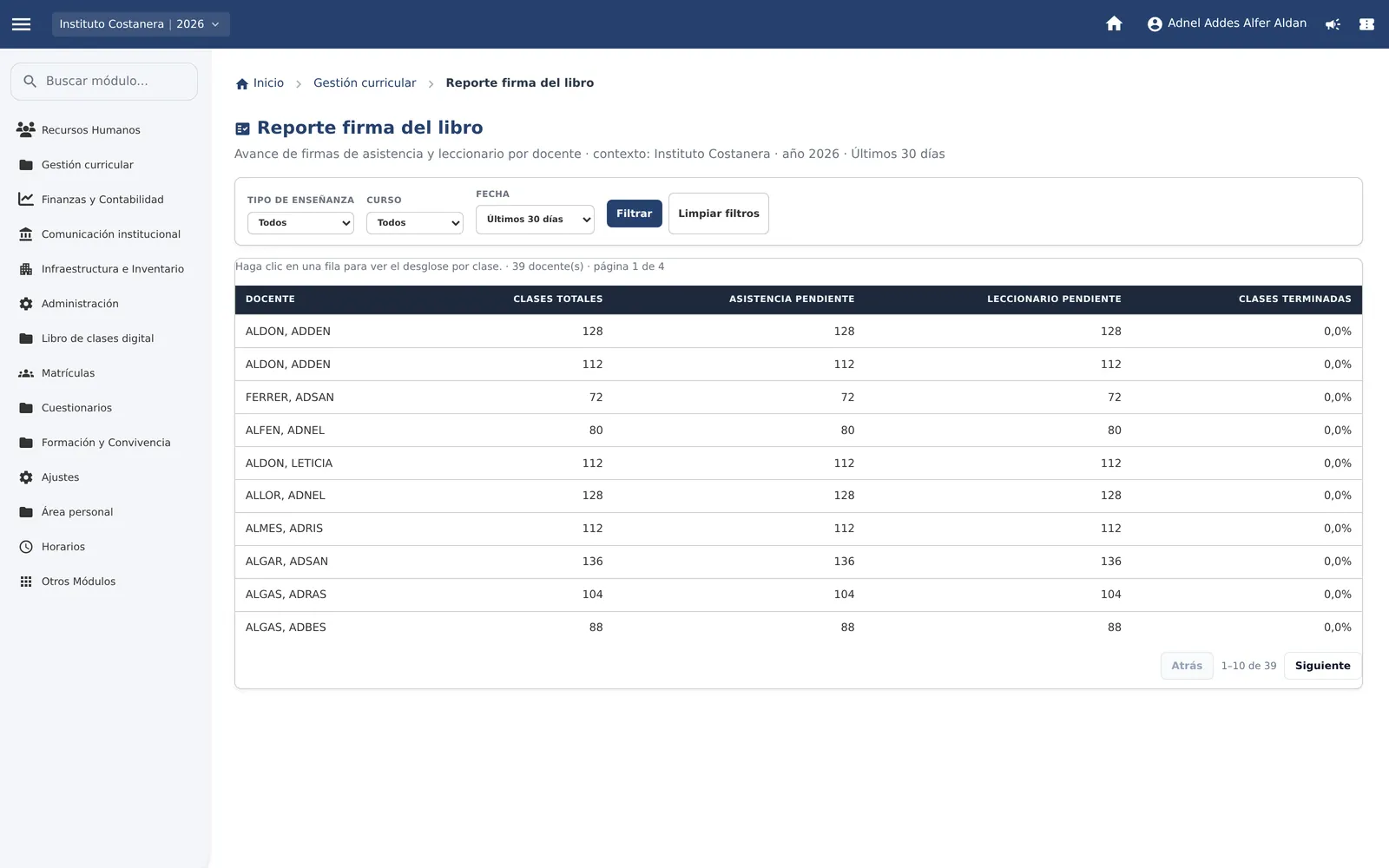
Class book signature report
Which teachers signed and which are still pending, per period and per class.
See the screen in detail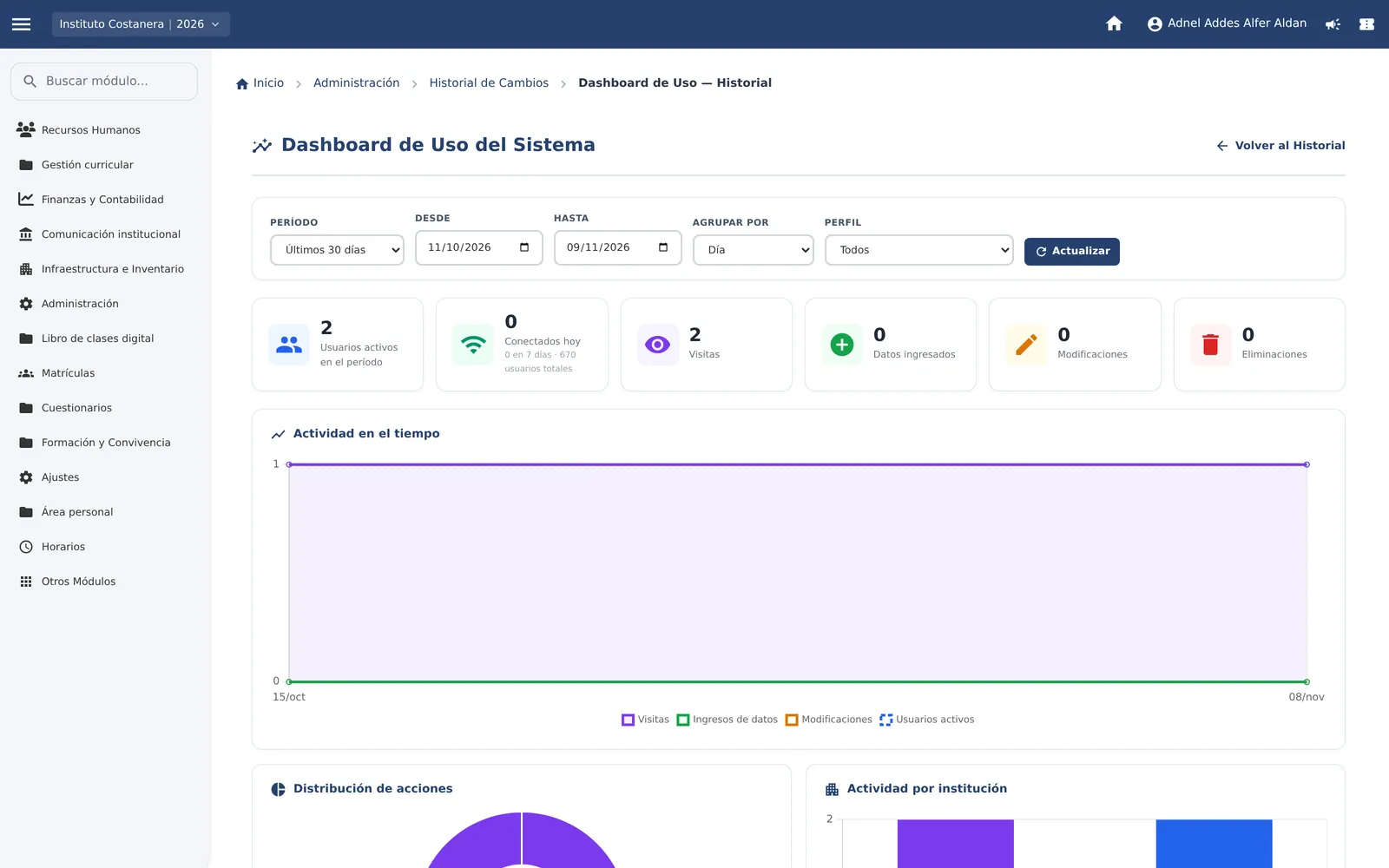
System usage
Activity by institution, profile, and module: who enters and what they open.
See the screen in detail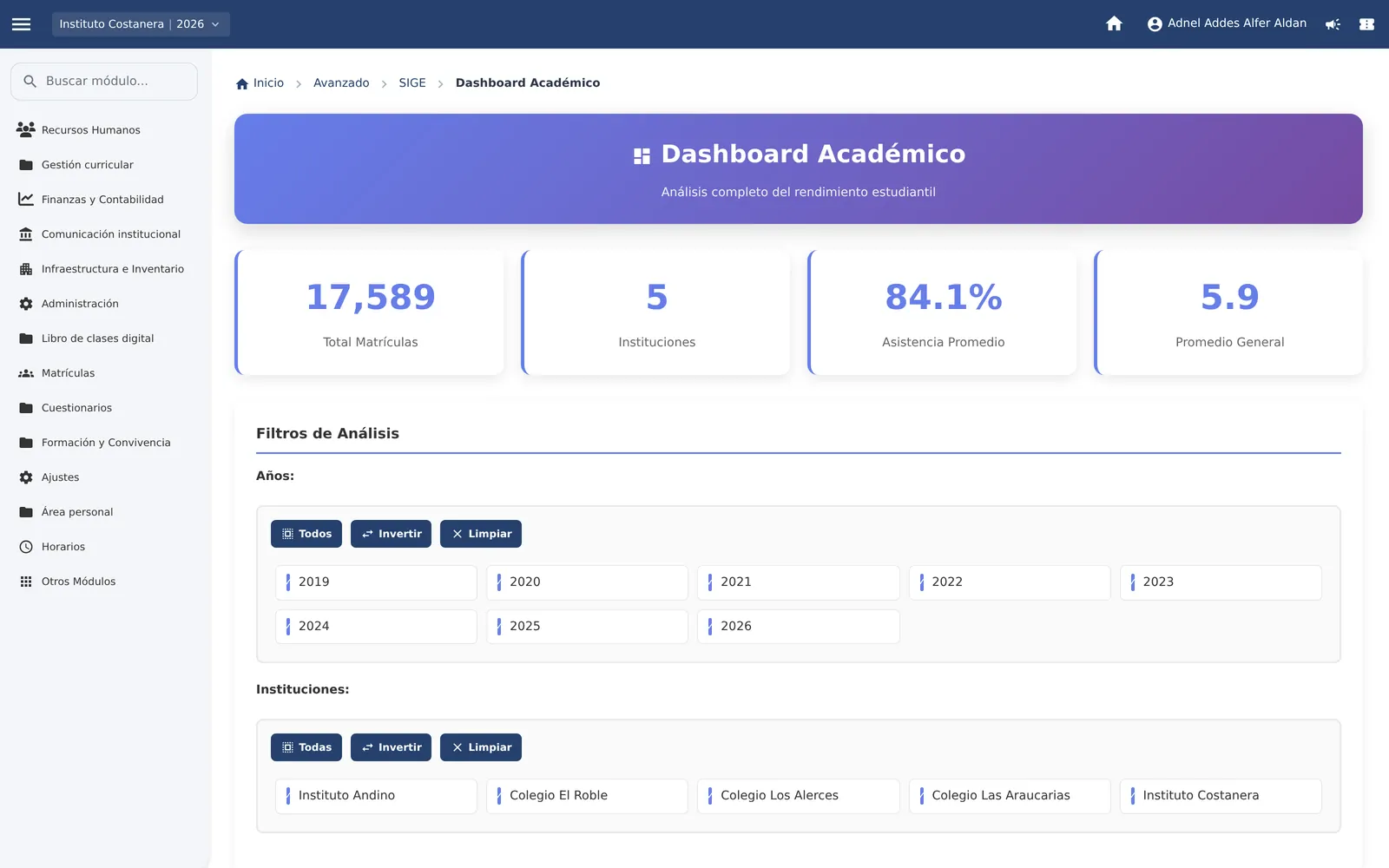
Academic dashboard
Enrolment, attendance, and grades, filtered by year and school.
See the screen in detailProblem
Having all the information in one place is only the beginning.
Centralising attendance and grades is the first step. What changes management is using that data to anticipate problems, evaluate results and decide in time.
- From recording to understanding
- Spot students at risk and learning objectives that fell behind.
- From consulting to acting
- Guide the intervention and follow up on what was done.
- Information that creates value
- What is taught, how students learn and where to focus the effort.
A system that accompanies the whole school operation.
- Organise Enrolment, classes, curriculum plans, timetables and teaching load.
- Record Attendance, lessons, planning, assessments and school climate.
- Analyse Which objectives show the lowest achievement and how results evolve.
- Act Anticipate risks, guide support and check whether the measure worked.
Technical sheet and scope
What the system covers.
- 13 explained screens
- 13 management modules
- 6 profiles with different permissions
- 1 record per student
- Class record
- Attendance, lesson log with learning objectives, signatures, and compliance reports per teacher.
- Planning
- Units and objective sequence against the school calendar, with AI support reviewed by the teacher.
- Assessment
- Assessments linked to the unit’s objectives and achievement per learning objective.
- Enrolment
- Class roll, import from SIGE, in-person signature, and remote signature by QR.
- Organisation
- Classes, curriculum plan, teaching load, and timetables with teacher availability control.
- Staff
- Contracts, teaching load, recruitment and selection, evaluations, and internal surveys.
- Indicators
- Panels by class, institution, and year, with staffing comparison and results trajectory.
- Access
- Profiles by function, several roles in one account, and institution switching on any screen.
One platform, multiple establishments, one integrated view.
- Profiles by function
- Teachers, school leaders, management teams, administration, students, and guardians have tools and permissions adapted to their roles.
- One person, several roles
- A user can carry out different functions without needing separate accounts, keeping the permissions and information that correspond to each one.
- One school or a whole organisation
- Each establishment manages its own information, while the operator can have a consolidated view to compare indicators, identify needs, and coordinate decisions.
- Connected information
- Academic, administrative, and pedagogical records relate to each other. Information stops being isolated and becomes a common base to understand what is happening and plan what comes next.
Thirteen areas, one record.
The demo walks through the areas a school already has to hold separately.
- Administration
- General panel, system usage, and activity monitoring.
- Digital class book
- Attendance, lesson log, overviews, and signatures.
- Planning
- Units, learning objectives, and hours from the school calendar.
- Assessment
- Assessments linked to the objectives, with achievement per objective.
- Enrolment
- Class roll, import from SIGE, and guardian signature.
- Timetables
- Blocks by day and subject, with teacher availability controlled.
- Curriculum
- Classes and curriculum plan with weekly hours.
- Human resources
- Contracts, teaching load, evaluations, and internal surveys.
- Recruitment and selection
- Applications for positions, stages, and handover to contract.
- Finance and accounting
- Teaching staff, year-on-year changes, and subsidy detail.
- SIGE and results
- Academic panels and results trajectory by grade.
- Coexistence and follow-up
- Notes and coexistence records with a trail per student, for leadership.
- Institutional communication
- Notices and circulars inside the same system.
Scope
It does not replace a Ministry of Education procedure or present itself as a certified official record. It is the school’s operational record, ordered and auditable, aligned with what the institution must report. The screenshots use fictitious data.
More information
Want to see it with your school?
Write to us and we will open it on a specific school.
Back to the start