For school directors Comprehensive school management
What a school director checks in the morning, on one screen.
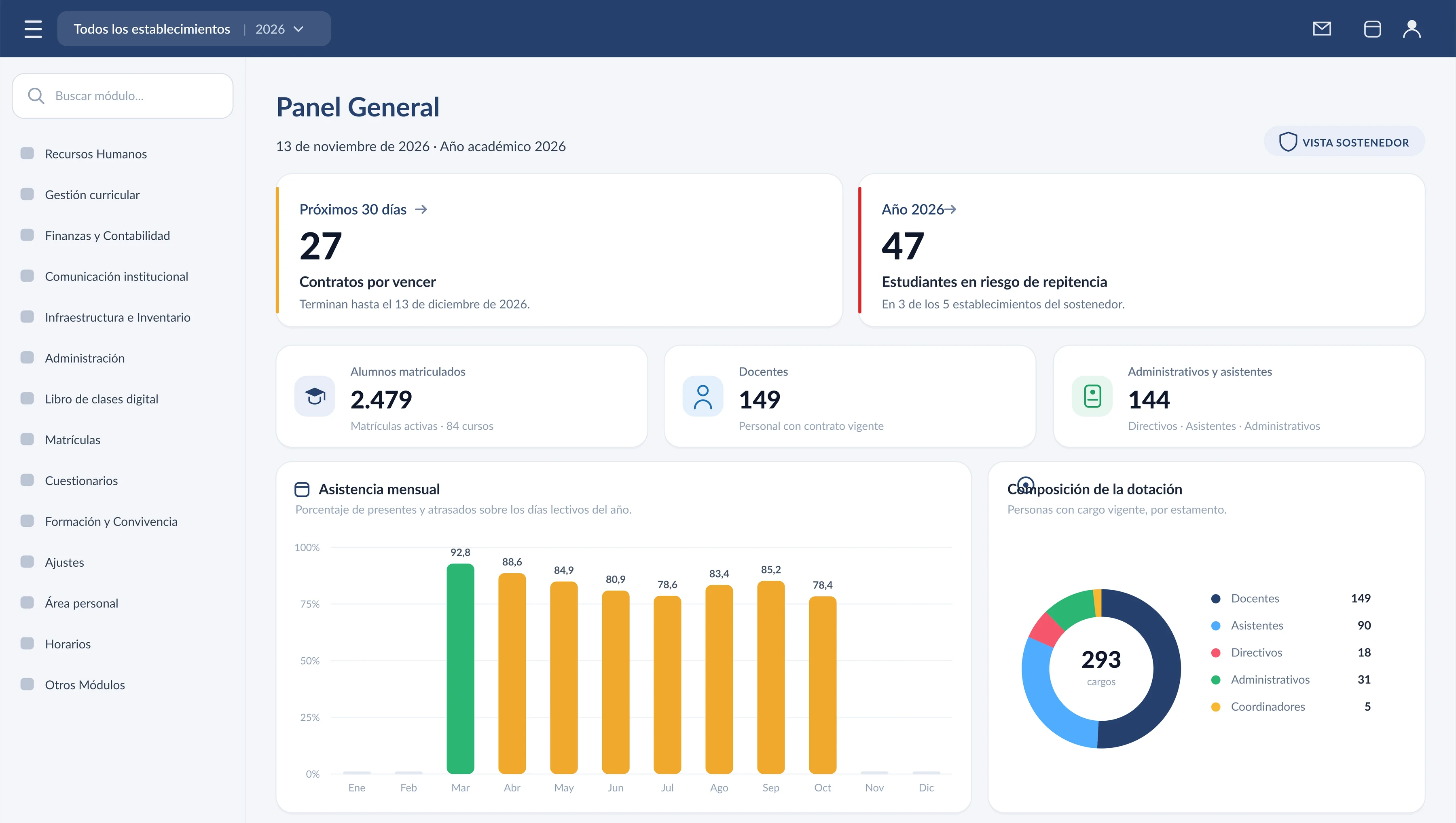
Enrolment, headcount, contracts about to expire and the year’s attendance come from the same record the teacher uses. With several schools, the panel switches establishment in the same session.
On opening
Demonstration data. The panel on opening the system: the organisation’s enrolment, headcount, contracts about to expire and the year’s attendance.
What it solves
Four readings that are assembled separately today.
The figure on the panel is the one left in the lesson, the enrolment or the contract. Leadership reads it; it does not wait for a consolidation.
- The morning Enrolment, headcount, contracts about to expire and the year’s attendance, on the first screen. The school is switched from the top bar.
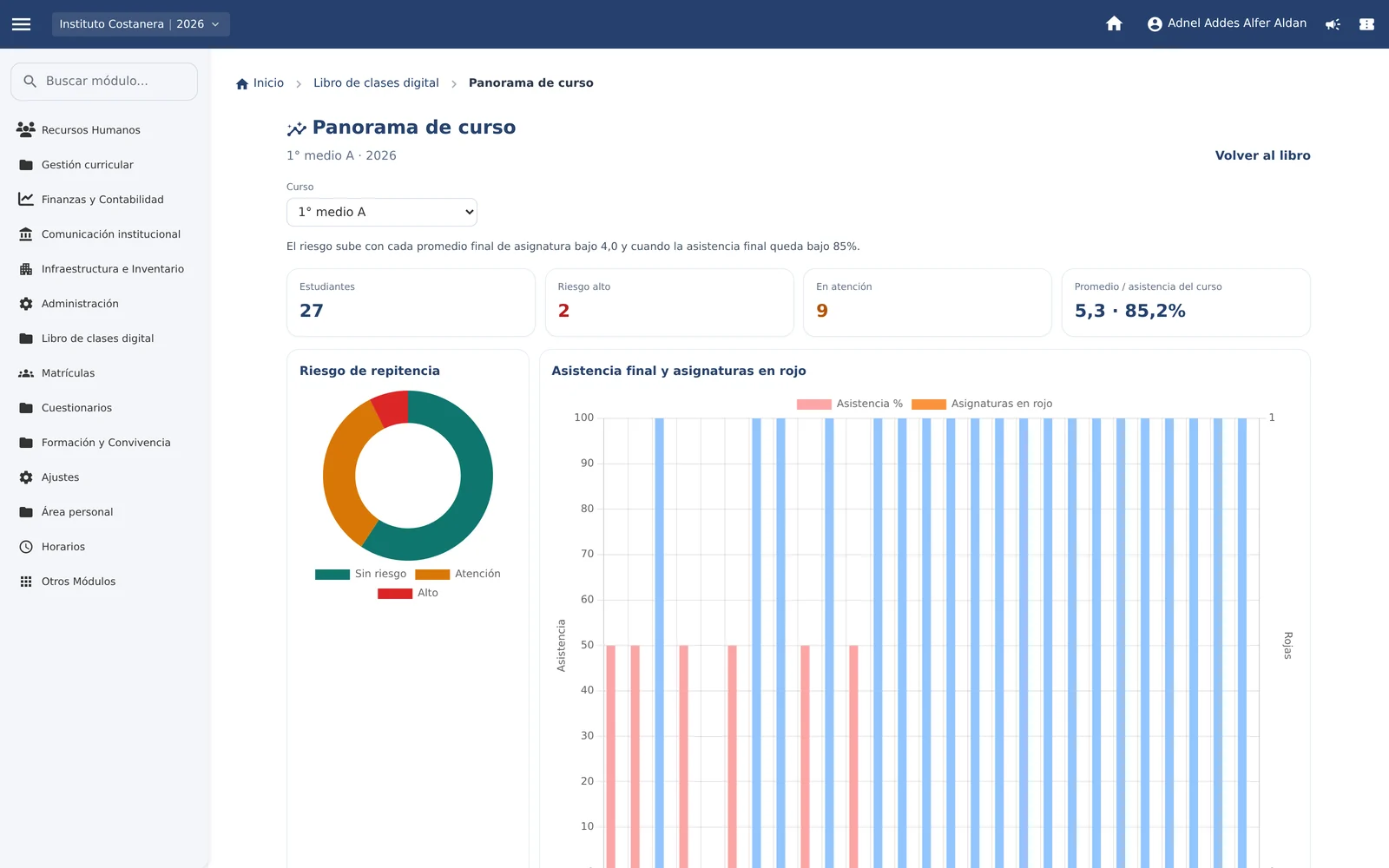
- Before the term ends Risk of repeating a year, attendance under 85% and subjects in the red, student by student, so the school can act during the term.
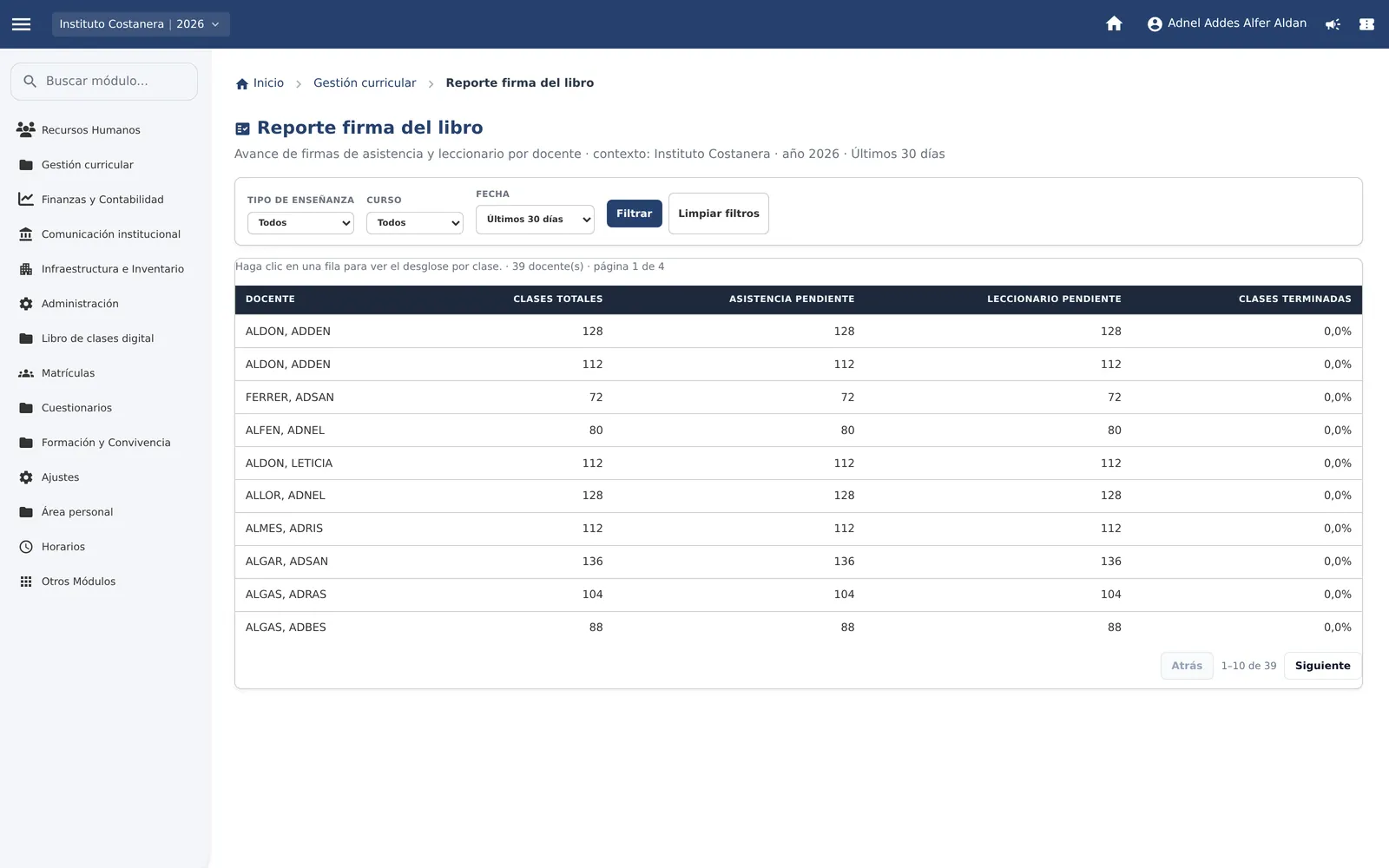
- Who kept up The parent signs the enrolment from their phone. The signature report shows which teachers closed the book and which are still pending.
- One record Roster, timetable, lesson and assessment live together. The morning figure and the day’s class book are the same data.
In the system
Three screens a director actually uses.
Real captures, with demonstration data. Each one opens to show how it is used.
-
 Before the term ends
Who needs support
Risk of repeating a year, attendance and subjects in the red, with the class open.
-
 The school day
Where the percentage comes from
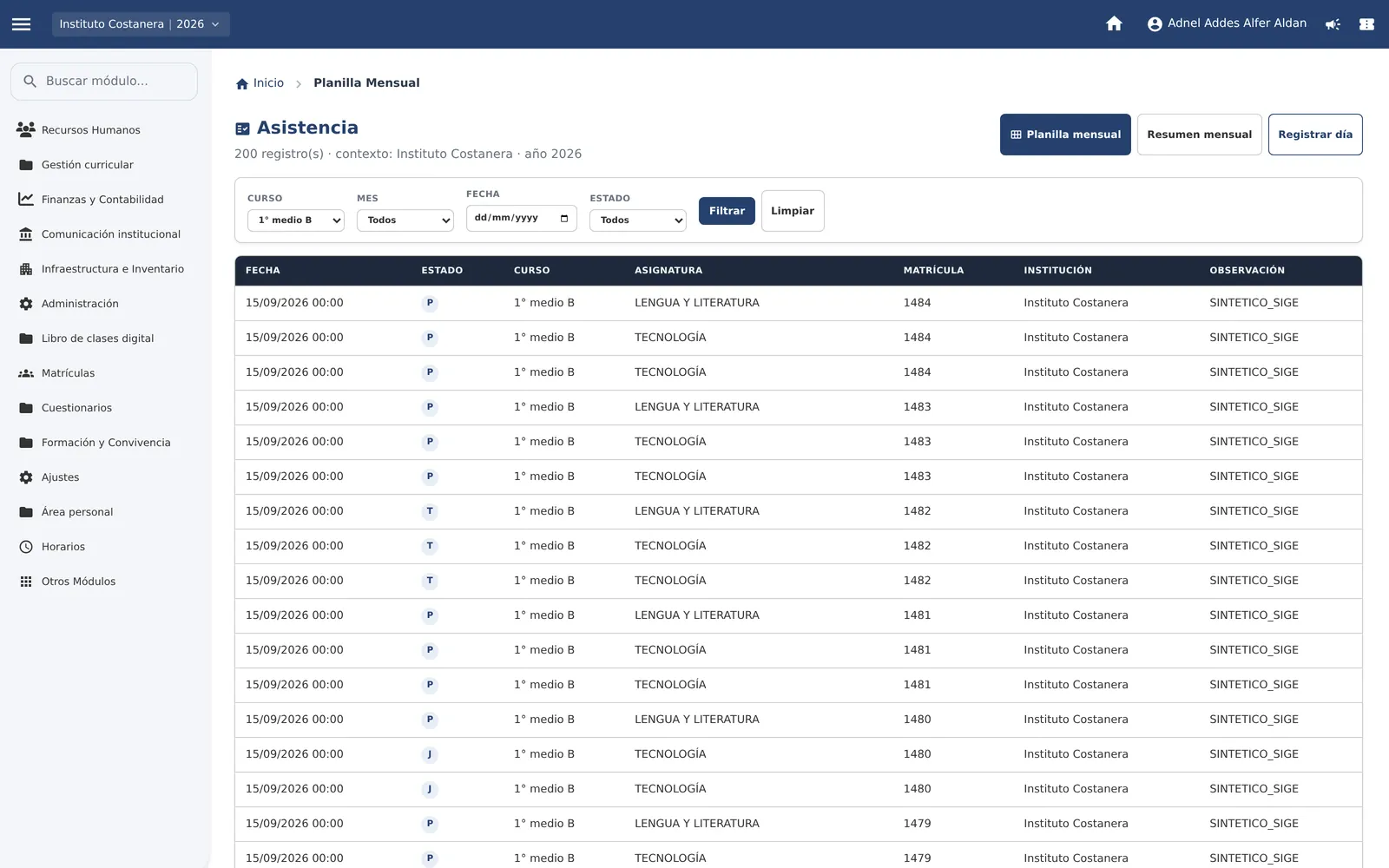
The attendance grid the teacher fills in. The director’s panel reads that same record.
-
 Compliance
The book, signed or pending
Which teachers closed the record and which did not, by period and by class.
Contact
Want to see it with your school?
Write to us. We arrange a session with the system open, on your establishment. contacto@sostenedor.cl